
Sheltie
Approve coding agents from your iPhone
When a coding agent on your computer stops for a permission or a question, your iPhone gets a notification (Android is in closed testing). Allow or deny right from the Lock Screen, read the conversation, and start new tasks from the app. Free, with an open-source server.
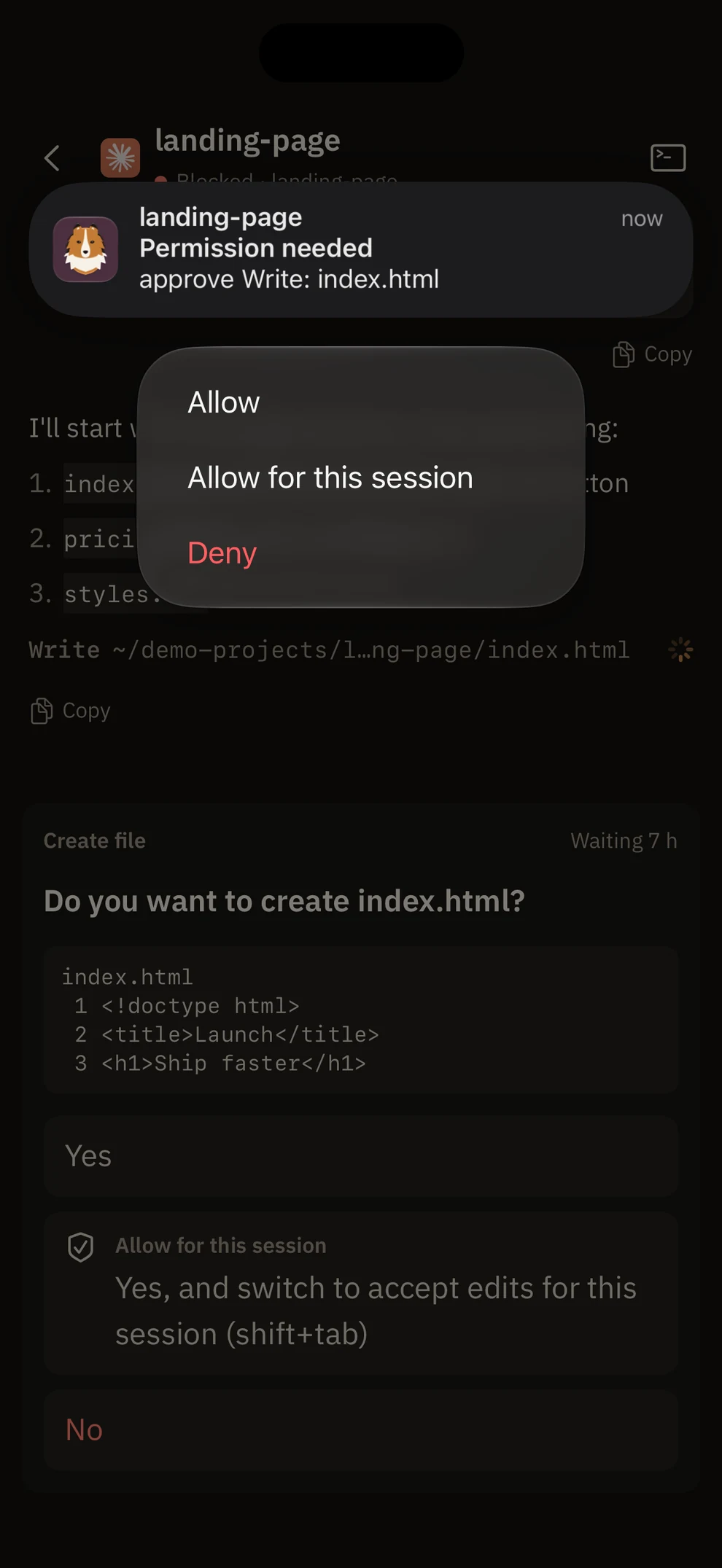
Lock Screen
Answer without opening the app
Long-press the notification for Allow, Allow for this session, or Deny. Right before answering, Sheltie checks the terminal menu hasn't changed.
List
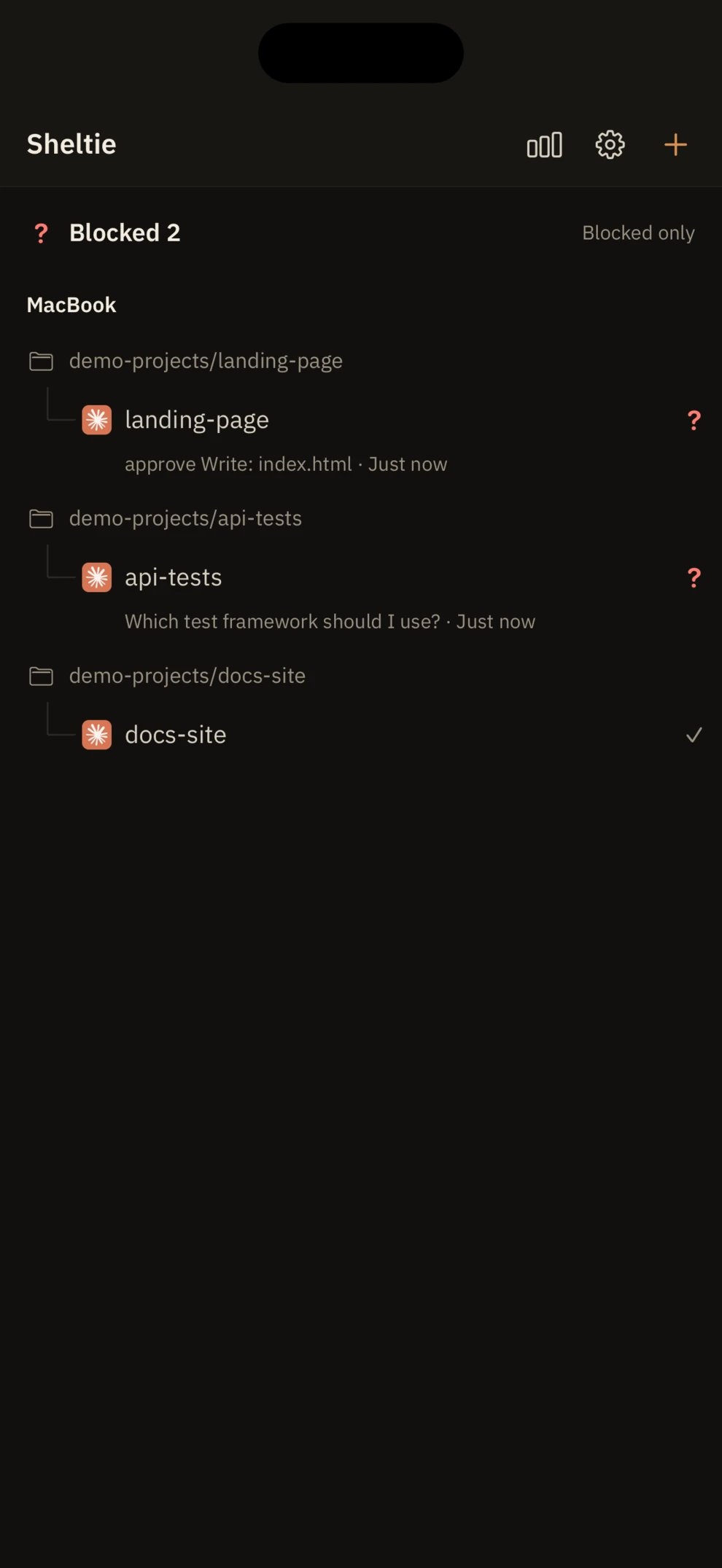
Stuck agents on top
Every session from every computer and folder in one list, with what it's waiting for and for how long.
Questions
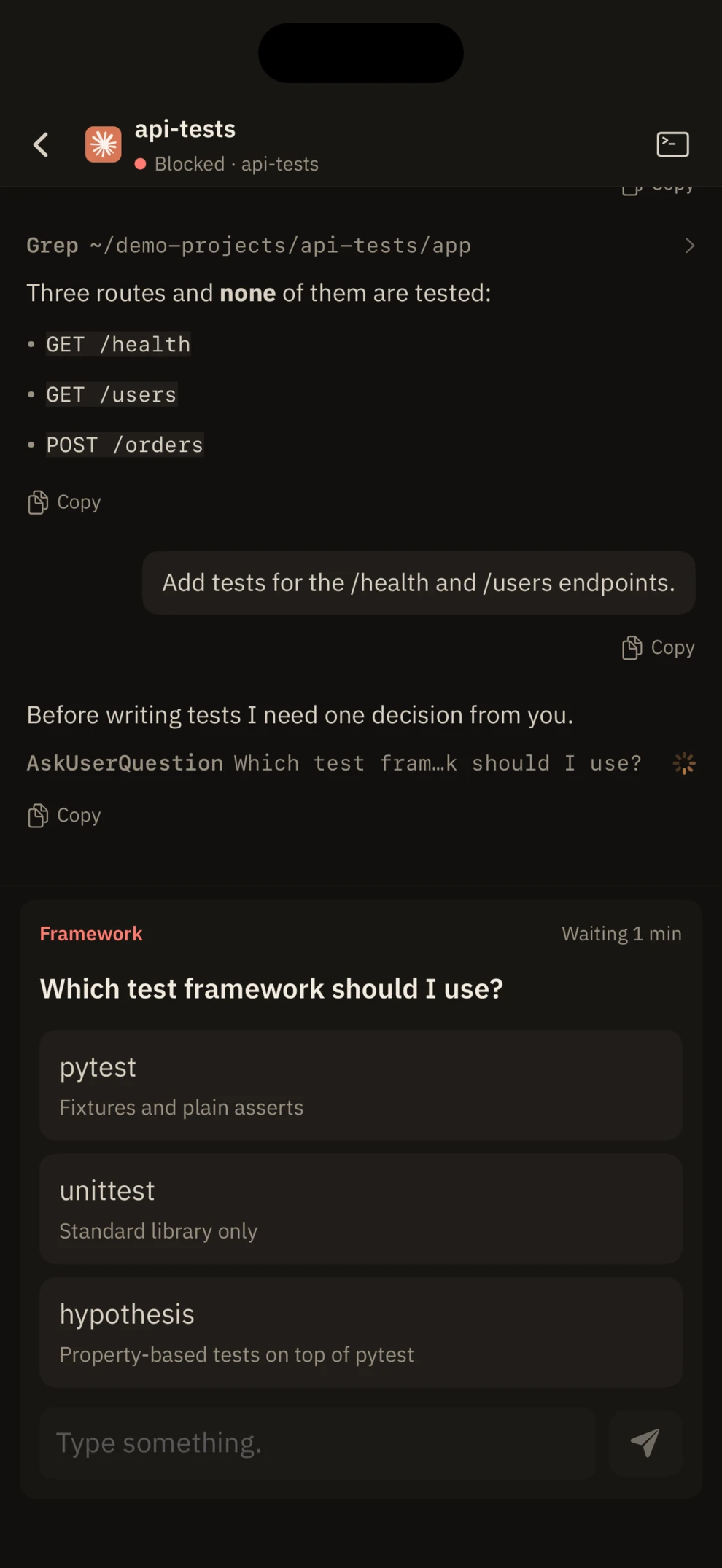
Pick an option or type your own
Answer agent questions, plan approvals, and multi-question forms as cards.
Conversation
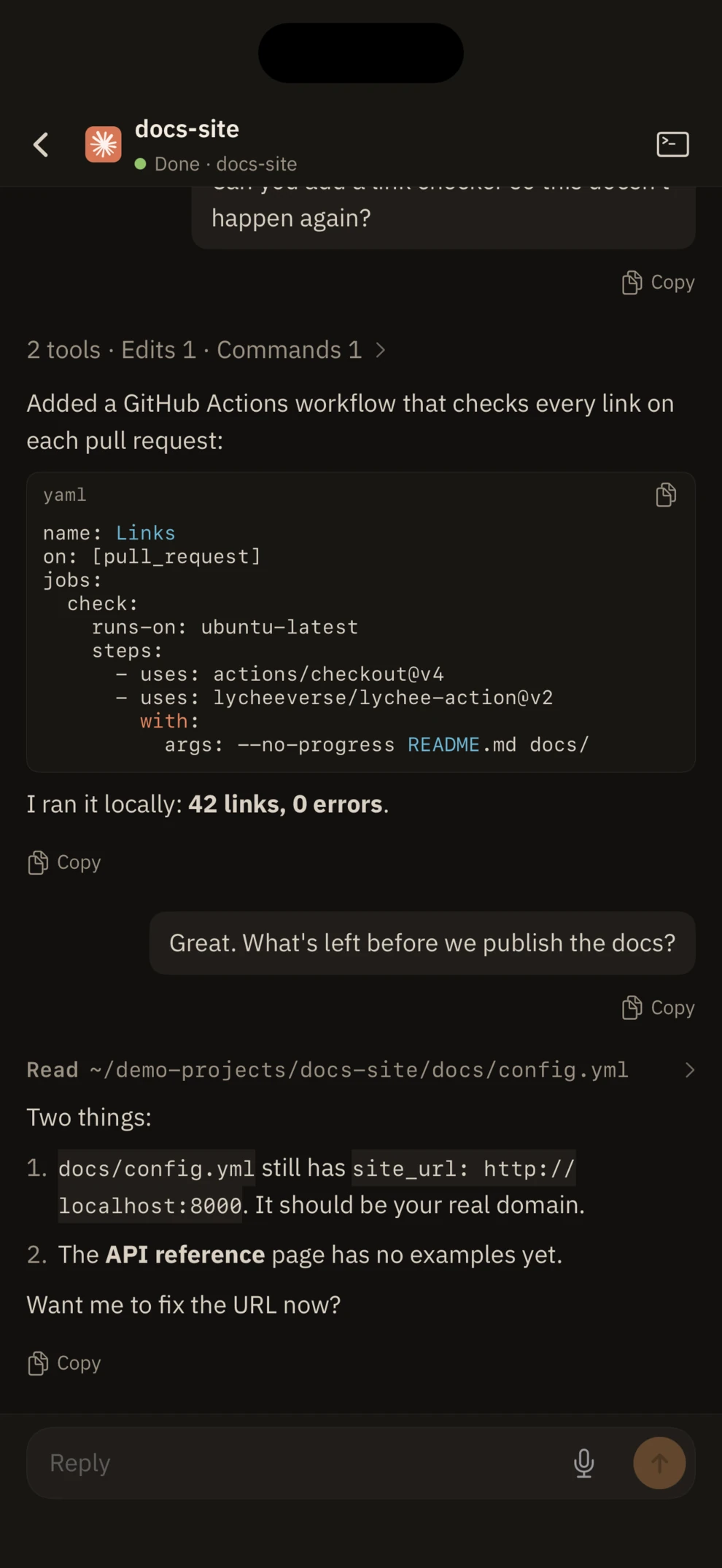
Keep working from your phone
Read the conversation so far and send messages. Pick a folder to start a new agent.
Supported agents
Claude Code · Codex · Gemini CLI · Qwen Code · OpenCode · Grok · GitHub Copilot CLI · Cursor Agent · Amp
A Mac or Windows PC running agents in herdr-core, plus Tailscale. Setup is one command on the computer and a QR scan.
Android closed test
Join the group first, or the opt-in link will not open. Only the developer sees member emails. A public release needs 12 testers keeping the app installed for 14 days.