
Cockatoo
Conversation & pronunciation
For when you have no one to speak English with and can’t tell where your pronunciation goes wrong. Hold the button and speak English: the AI replies, rewrites awkward sentences into natural ones, and when you read the corrected sentence aloud it points out mispronounced words one by one.
iPhone that supports Apple Intelligence, iOS 27 or later.
Situations
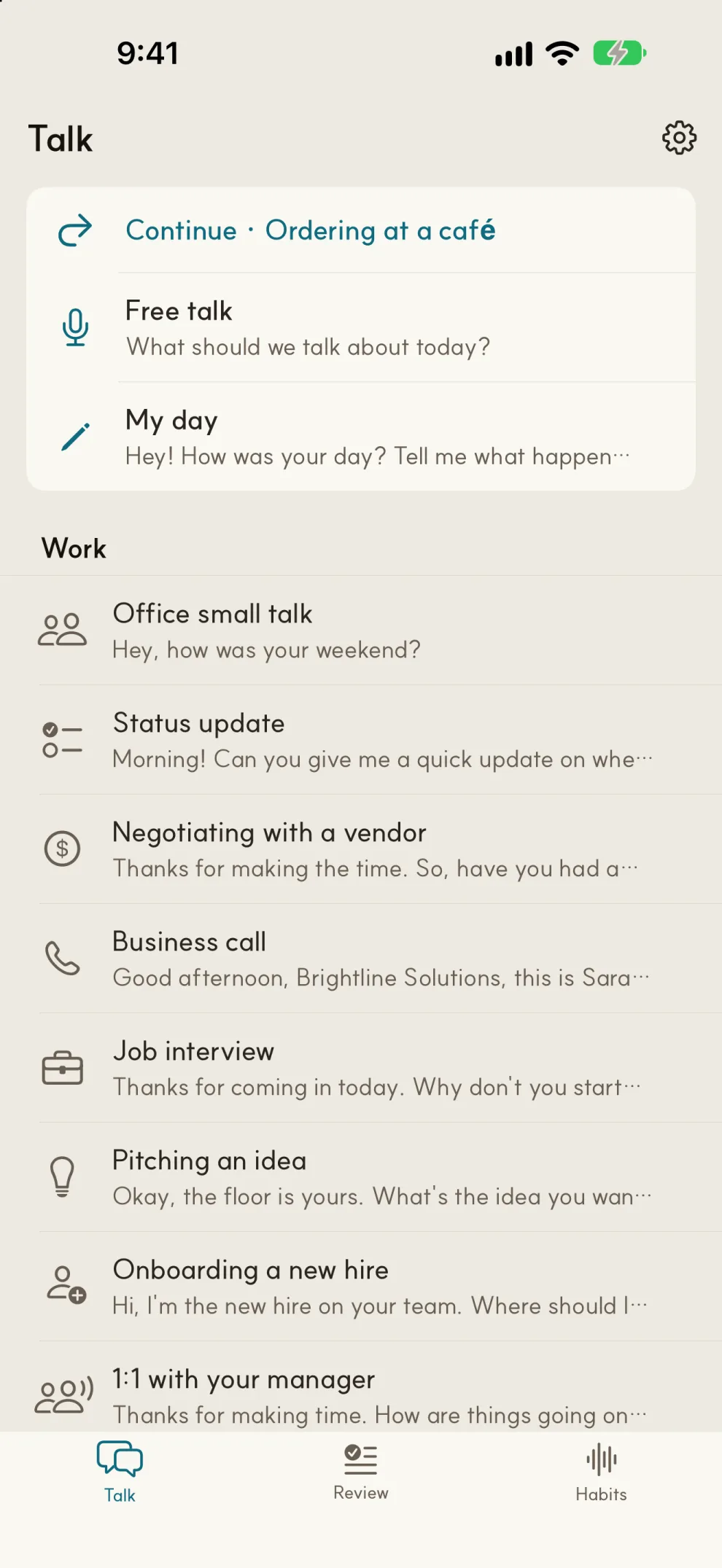
Speak English in 35 situations
Ordering coffee, small talk at work, negotiating with a client, a job interview, passport control and free conversation. Talk while you hold the button; let go and it becomes text.
Conversation
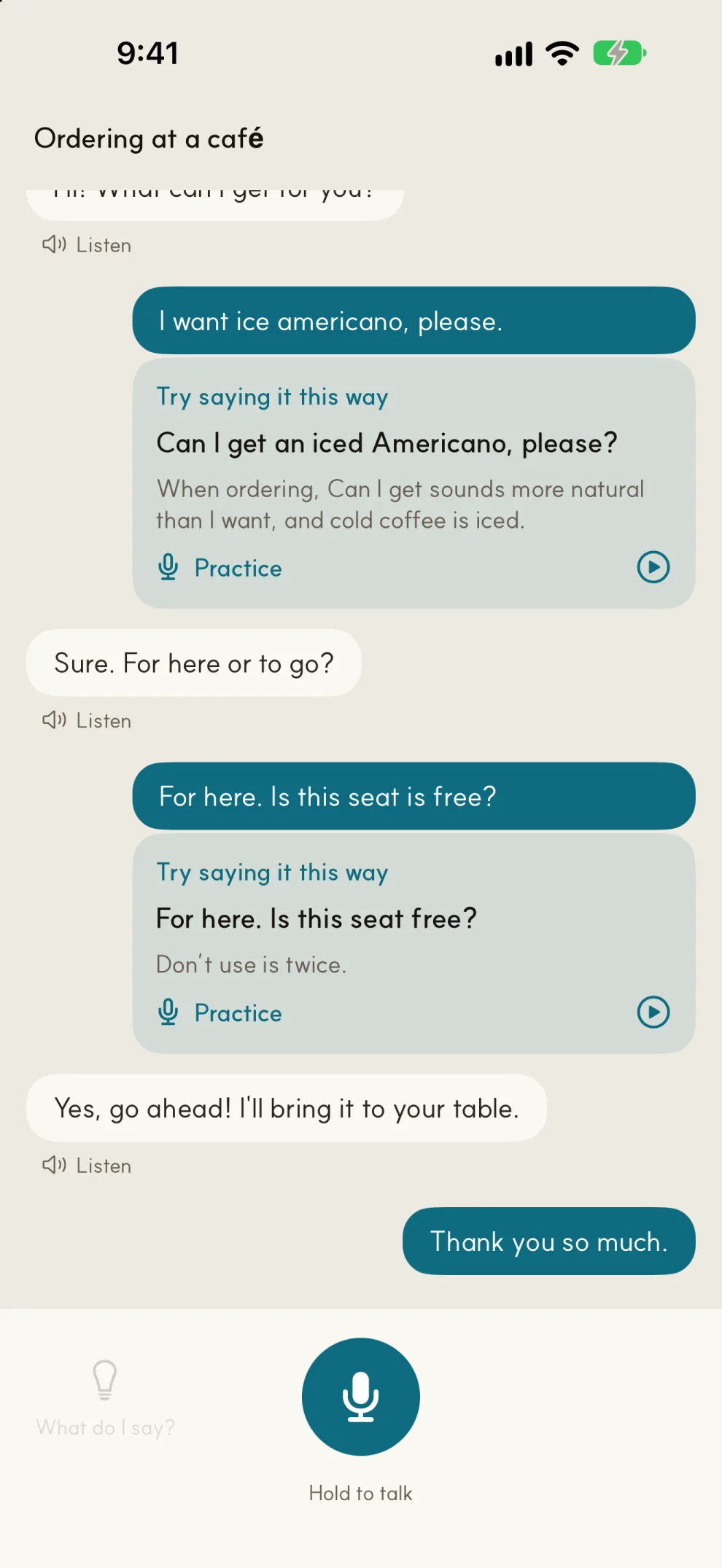
Awkward sentences, fixed on the spot
Under what you said: a more natural sentence and a one-line explanation. If a reply is hard to follow, the translate button shows what it means.
Practice
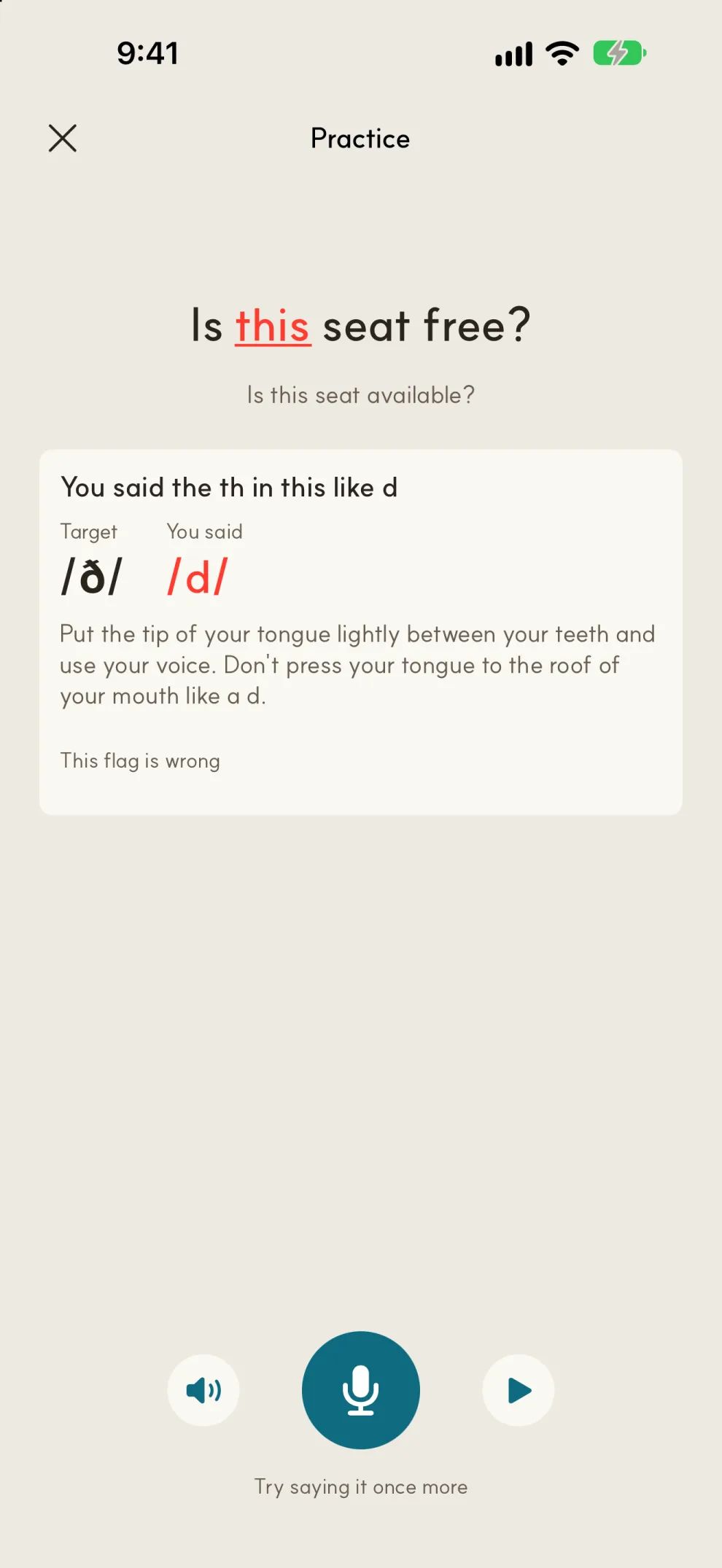
Pronunciation checked word by word
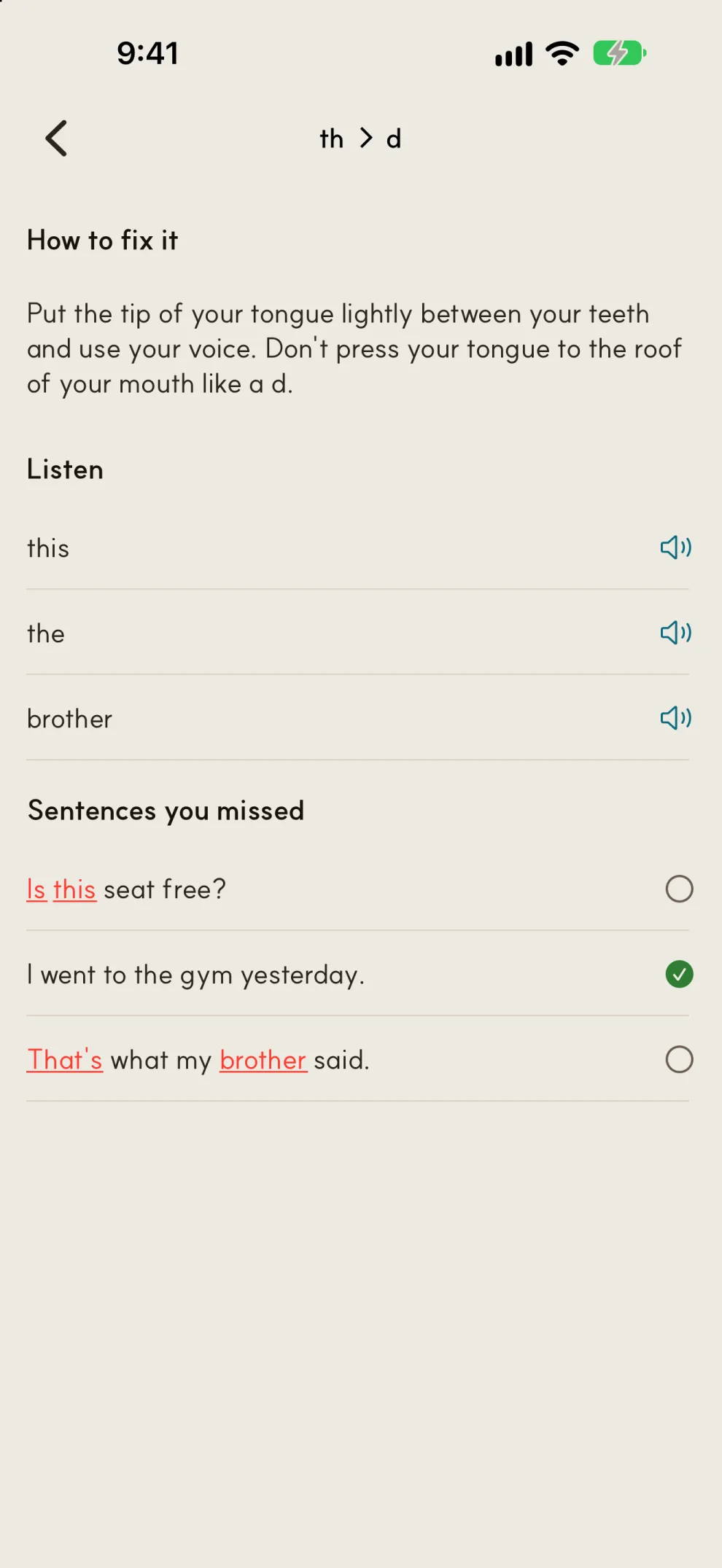
Read the corrected sentence aloud and every word is scored. It names the problem, like “th in ‘this’ said as d”, and the mark changes once you get it right.
Review
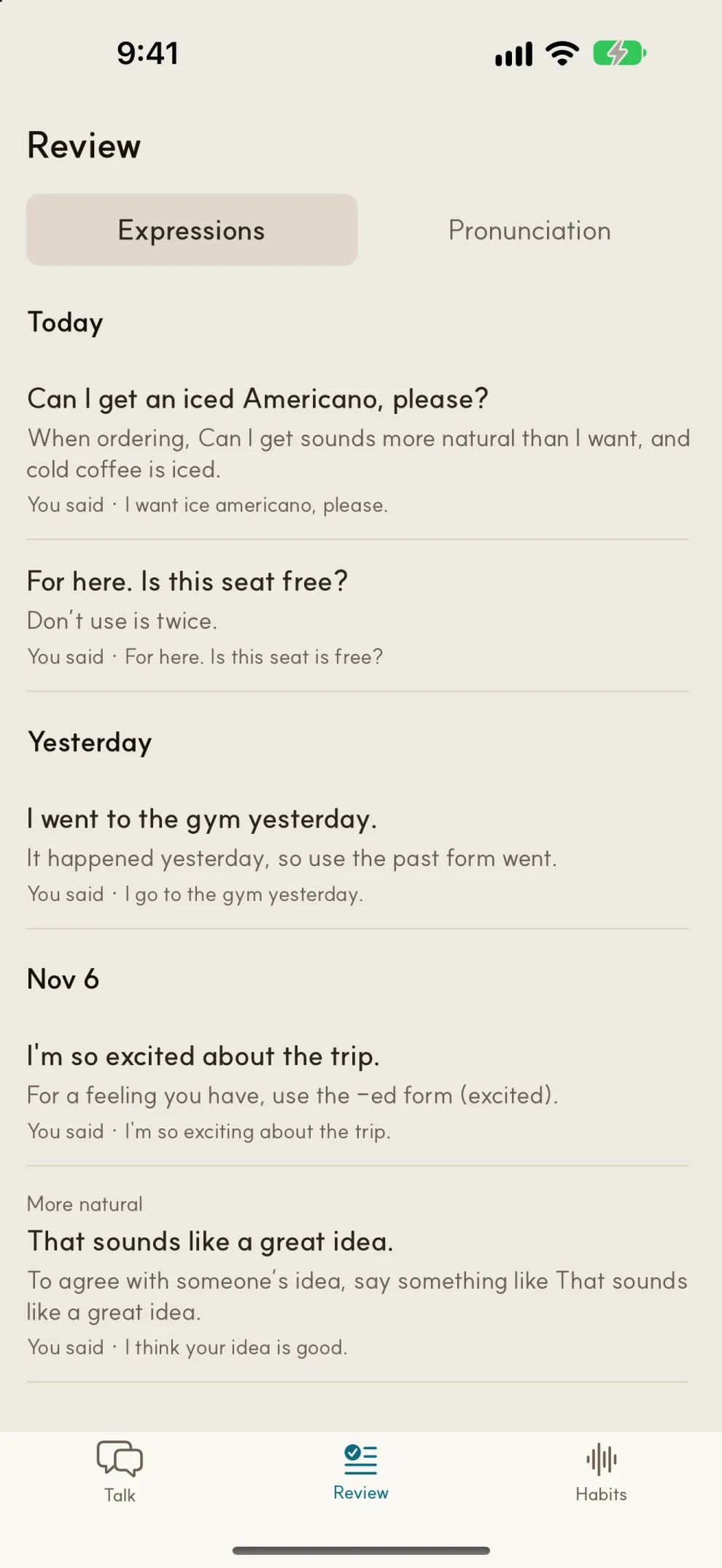
Corrections collect for review
Corrected phrases and mispronounced words collect in your review list.
Pronunciation habits
See the sounds you miss most
“Pronunciation habits” counts the sounds you miss most, such as th → d, 12 times.
More in Cockatoo
Example replies when you’re stuck
Tap “What do I say?” and get 3 example replies that fit the conversation.
Translate the AI’s reply
If the AI’s reply is hard to follow, the translate button shows what it means.
Your pronunciation vs. the correct one
Play your recording and the correct pronunciation back to back.
Today’s story
Jot down what happened today and the AI asks you about it, one question at a time.
3 levels
Pick beginner, intermediate or advanced to change how hard the AI’s English is. From intermediate up, it also shows more natural phrasing.
Reading speed and reminders
Set whether the AI’s reply is read aloud, one of 3 speaking speeds, and a daily practice reminder time.
Pick up where you left off
Close and reopen the app and the conversation is still there.
Free
Every feature is free, with no limit on how much you use it.